

HIPAA, Apple Devices, and Your Medical Practice: The IT Compliance Guide Nobody Gave You
Most medical practice administrators understand HIPAA in theory. They know patient data needs to be protected, they’ve sat through the annual training, and they’ve signed the policies. What many don’t realize is that the device sitting on every clinician’s desk — and in every provider’s pocket — is one of the most significant HIPAA compliance variables in the entire practice.
The HIPAA Security Rule requires covered entities to implement specific technical safeguards for any device that stores, accesses, or transmits electronic protected health information (ePHI). In 2026, those rules got significantly stricter. What were previously “addressable” safeguards — meaning organizations could evaluate whether they were reasonable to implement — have in several cases become mandatory requirements. Encryption is now required. Multi-factor authentication is now required. The days of deciding whether to implement these controls are over.
Here’s what that means practically for a medical practice running Apple devices, and how to get fully compliant before your next audit.
What the 2026 HIPAA Updates Actually Changed
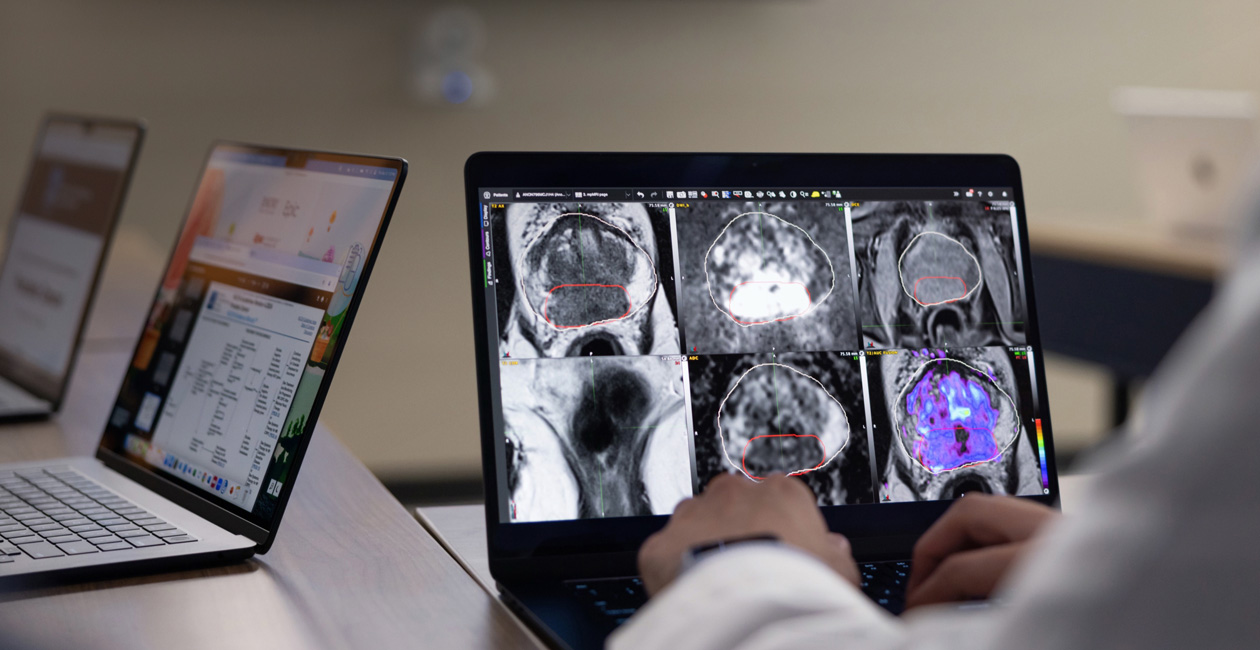
The U.S. Department of Health and Human Services finalized significant updates to the HIPAA Security Rule in 2026, marking the most substantive revision to the framework in over a decade. For medical practices managing Apple devices, the following changes are the most operationally significant:
Encryption is now mandatory. Any device that accesses or stores ePHI must use AES-256 encryption — full stop. This applies to MacBooks, iPhones, iPads, and any other endpoint that touches patient data. The previous “addressable” status gave organizations flexibility to document why they weren’t encrypting; that flexibility no longer exists.
Multi-factor authentication is now required. Access to ePHI systems must be protected by MFA — a password alone is no longer sufficient. For Apple device users, this has real implications for how clinical staff authenticate to EHR platforms, secure messaging apps, and cloud-based patient data.
Breach notification timelines have tightened significantly. Practices must now report breaches involving ePHI within 24 hours and restore ePHI access within 72 hours of a security incident. This puts enormous pressure on practices that don’t have centralized device visibility — if you don’t know which devices have what data, you can’t meet a 24-hour notification window.
Documentation is no longer optional. Auditors are now expecting detailed, continuous records of risk assessments, configuration policies, training sessions, and remediation activities. A spreadsheet or paper-based inventory doesn’t cut it. You need a system of record that maintains audit trails automatically.
The Apple Security Advantage — If You Use It Right
Here’s something most healthcare IT guides won’t tell you: Apple devices are actually exceptionally well-suited for HIPAA compliance. The challenge isn’t that iPhones and Macs are insecure — they’re among the most secure consumer devices available. The challenge is that Apple’s security features only satisfy HIPAA requirements if they’re consistently enforced across every device in your practice.
Left to individual users, even the best security features become inconsistent. A physician who skips setting a passcode, a front desk employee who disables Face ID for convenience, a tablet that hasn’t received a security update in four months — these are compliance failures waiting to happen, and none of them show up until an auditor or a breach surfaces them.
Here’s how Apple’s built-in security architecture maps to HIPAA’s technical safeguard requirements — and where consistent enforcement matters:
Encryption at rest. Every iPhone and iPad with a passcode set uses hardware-level encryption by default — this is built into Apple’s Secure Enclave architecture. MacBooks running macOS use FileVault disk encryption, which provides AES-256 protection for all data at rest. Both satisfy HIPAA’s mandatory encryption requirement for ePHI stored on devices — but FileVault has to be enabled, and on unmanaged Macs, there’s no guarantee it is.
Access controls and authentication. Face ID, Touch ID, and Passcode provide strong device-level authentication that satisfies HIPAA’s person or entity authentication requirement. For clinical apps accessing ePHI, these biometric controls can be set as the authentication layer — no password required, fast enough for clinical workflows, and more secure than a PIN an employee reuses across ten different systems.
Remote wipe capability. A device containing ePHI that is lost or stolen triggers a specific HIPAA obligation. Apple’s remote wipe capability — when configured through an MDM platform — allows an administrator to erase a device completely within minutes of it going missing. This is one of the most critical HIPAA technical safeguards for mobile devices, and it’s built into every Apple device. The catch: it only works reliably when the device is enrolled and managed.
Audit logging and activity monitoring. HIPAA requires audit controls — the ability to record and examine who accessed ePHI and when. This doesn’t happen at the device level alone; it happens at the application and MDM policy level. Managed Apple devices can enforce which apps can access patient data, prevent data sharing between apps, and generate the kind of configuration audit trails auditors expect.
Where MDM Becomes the Compliance Layer
This is where the gap between “Apple devices are secure” and “your practice is HIPAA compliant” lives.
Mobile Device Management is the technology that takes Apple’s built-in security features and enforces them consistently, automatically, and at scale — across every iPhone, iPad, and Mac in your practice, without relying on individual staff to take the right steps. The HIPAA Security Rule doesn’t name MDM specifically, but any organization managing devices that access ePHI without MDM would have significant difficulty demonstrating that its safeguards are “reasonable and appropriate” to an auditor.
Here’s what Jamf — the industry-leading MDM platform for Apple devices — does for HIPAA compliance in a medical practice environment:
Encryption enforcement. Jamf policies can verify and enforce FileVault encryption on every Mac and report compliance status in real time. No Mac in your fleet goes unencrypted, and you have documentation to prove it.
Passcode and MFA requirements. Jamf pushes passcode policies to every enrolled iPhone and iPad — minimum length, complexity requirements, auto-lock timers — so the security baseline isn’t left to individual discretion.
Automated OS and security updates. Jamf ensures devices receive security patches as they’re released, closing the vulnerability window that HIPAA auditors and cyber insurers scrutinize closely.
Remote wipe and lock. If a device is lost or stolen, Jamf allows immediate remote lock or full erase — with an audit trail of the action for your breach response documentation.
App management and data loss prevention. Jamf controls which apps are installed on clinical devices, prevents data from being shared to unauthorized applications, and enforces per-app VPN for apps accessing ePHI over networks.
Compliance reporting. When your practice needs to demonstrate HIPAA compliance to an auditor, cyber insurer, or business partner, Jamf generates the configuration reports and audit logs that serve as your evidence. This is the documentation requirement that catches unmanaged practices off guard during audits.
The BYOD Problem in Healthcare
One of the most common HIPAA compliance gaps in smaller medical practices is the bring-your-own-device problem. A physician checks patient messages on their personal iPhone. A nurse logs into the EHR from their personal iPad at home. A front desk employee pulls up a patient record on their personal MacBook when they’re covering remotely.
Each of these scenarios creates a HIPAA exposure on a device your practice doesn’t control, can’t audit, can’t remotely wipe, and can’t verify is encrypted or patched. Under 2026’s updated requirements, a formal BYOD policy with MDM enrollment is no longer a best practice — it’s a compliance requirement for any device that accesses ePHI.
Apple Business Manager and Jamf together solve this in a way that doesn’t require staff to hand over control of their personal device entirely. User Enrollment — a specific MDM enrollment mode designed for BYOD — creates a managed work partition on a personal Apple device that keeps practice data separate from personal data. Your IT administrator can remotely wipe only the work container if the employee leaves or the device is lost, without touching personal photos, messages, or apps. Staff get to keep their personal phone. Your practice gets the compliance controls it needs.
What a HIPAA-Compliant Apple Device Setup Looks Like
For a medical practice moving toward full HIPAA compliance on Apple devices, the foundation looks like this:
All devices that access ePHI — iPhones, iPads, and Macs — are enrolled in Apple Business Manager and managed through Jamf. Enrollment can happen automatically for practice-owned devices via zero-touch deployment — devices arrive pre-configured and ready for clinical use without IT staff needing to manually set up each one.
Jamf pushes baseline security policies to every device: passcode requirements, FileVault encryption on Macs, automatic OS updates, and app management controls. The MDM platform generates continuous compliance reports that serve as your documentation trail for audits and cyber insurance renewals.
When a staff member leaves the practice, device offboarding is handled through Jamf — remote wipe, account removal, and configuration reset — with a documented audit trail. No device walks out the door with patient data still accessible.
And when your next HIPAA risk assessment comes around, you’re pulling a Jamf compliance report instead of trying to reconstruct your device inventory from memory.
DFC’s Experience in Healthcare IT
Digital Fix Consulting has worked within the healthcare industry and understands the specific compliance pressures that medical practices face — tight audit timelines, the sensitivity of patient data, the need for IT infrastructure that works reliably in clinical environments, and the reality that most practices don’t have a full-time IT department managing all of it.
We handle Apple device management for practices of all sizes — from single-provider offices to multi-location specialty groups — including Jamf MDM setup and management, Apple Business Manager enrollment, BYOD policy configuration, and ongoing Mac support for clinical environments. We can also help you prepare the device management documentation you’ll need for your next HIPAA risk assessment.
If your practice runs on Apple devices and you’re not sure whether your current setup satisfies the 2026 HIPAA Security Rule updates, that’s worth finding out before an auditor does.
Schedule a free healthcare IT assessment →
Digital Fix Consulting is a Pittsburgh-based Apple Authorized Reseller and Apple Consultants Network member specializing in Jamf MDM management, Apple Business Manager deployment, and end-to-end Apple device management for businesses and healthcare organizations. Learn more or contact us to discuss your practice’s IT needs.