

Apple Just Raised Its Mac and iPad Trade-In Values. Here’s How to Use It Before Year-End.
On October 26, 2026, Apple raised its maximum U.S. trade-in estimates for iPads and most Macs. If your organization has older Apple devices sitting in closets or still in service past their prime, trading them in can help fund a refresh, and year-end is a good time to plan it.
If you were already thinking about replacing aging Macs or iPads, the timing just got a little better. Here’s what changed, how it applies to a business, and how to get your fleet ready.
What did Apple change?
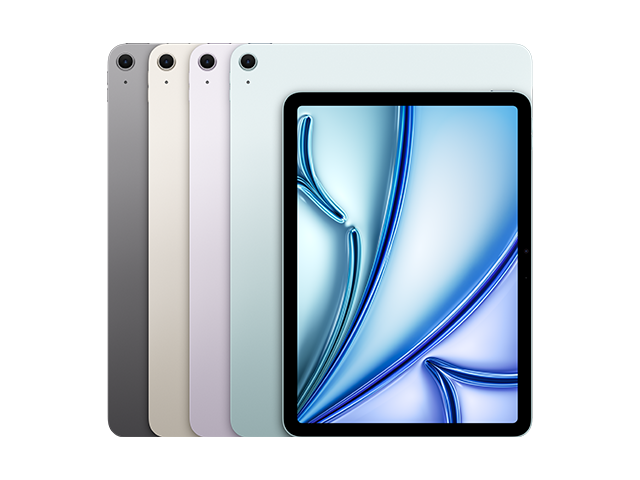
According to MacRumors, Apple raised its maximum U.S. trade-in estimates on October 26, the same day it announced the new iPad mini. iPhone and Apple Watch estimates weren’t changed. The new maximums:
- Mac Pro: up to $2,560 (up $365)
- Mac Studio: up to $1,700 (up $240)
- MacBook Pro: up to $1,435 (up $120)
- MacBook Air: up to $795 (up $90)
- iMac: up to $440 (up $55)
- Mac mini: up to $645 (up $25)
- iPad Pro: up to $915 (up $10)
- iPad Air: up to $525 (up $15)
- iPad mini: up to $340 (up $20)
- iPad: up to $300 (up $20)
These are maximums. Final offers depend on the device’s condition, age and configuration, so a typical device will come in lower.
Does this apply to a business?
Not directly. Apple’s figures are for its own consumer trade-in program, so treat them as a benchmark for the market, not a quote for your fleet. What an organization receives depends on the program it uses, how many devices it’s trading, and their condition.
What the increase does tell you is that Apple devices hold their value well, which is one reason many organizations plan trade-ins into their refresh budgets. DFC runs a trade-in program for businesses, with the option of cash or credit toward new Apple devices. The way to learn what your devices are worth is to get a quote.
Why does year-end matter?
Many organizations have budget left to use before the year closes, and many are planning next year’s spending now. A trade-in can do both jobs. It turns old equipment into funds, and it helps justify replacing devices that are costing more to keep running than to replace.
We’ve written about both sides of this: using up what’s left in your IT budget and locking in your 2027 IT budget. Trade-ins are one way to stretch either one.
It also lines up with Apple’s newest hardware. Apple’s new MacBook Pro and iMac models and the new iPad mini ship November 6, so replacement options are available now.
What affects what an old Mac or iPad is worth?
- Model and age. Newer devices bring more.
- Condition. Cosmetic damage, a worn battery, or a cracked screen lowers the offer.
- Configuration. More memory and storage generally helps.
- Whether it’s ready. Devices still tied to an organization’s management or an Apple ID can’t be traded in until they’re released. More on that below.
How do you get a fleet ready to trade in?
- Take inventory. List each device’s model, serial number, age and condition. A spreadsheet is enough.
- Decide what’s due. Start with the oldest devices, the ones out of warranty, and any that no longer run current software.
- Release them from management. Devices enrolled in your MDM or Apple Business Manager, or locked to an Apple ID through Activation Lock, need to be released first. Skipping this is the most common reason a trade-in stalls.
- Back up what matters, then wipe. Move data to its new home, then erase the device. Make sure sensitive data is actually removed, especially for healthcare or finance.
- Get a quote. Quotes for a whole fleet are easier than device-by-device offers, and they tell you what’s realistic.
- Plan the replacement. Decide whether the money goes toward new devices, and place the order in time for your budget cycle.
If you manage devices with Jamf, releasing them is part of your normal offboarding process. Our Jamf team can help if you want a hand with that part.
Should you take cash or credit?
DFC’s trade-in program describes both options: cash for aging devices, or credit toward new Apple devices. Credit is simple when you’re already replacing devices. Cash is more flexible if the money needs to go elsewhere. Which is better depends on your budget and how soon you’re buying, so ask for both numbers in your quote.
What about devices that aren’t worth anything?
Very old or damaged equipment may not bring much, or anything. Those devices still need to be dealt with responsibly, with the data removed. DFC also offers IT recycling for end-of-life equipment.
Frequently asked questions
– Did Apple raise its trade-in values?
Yes. On October 26, 2026, Apple raised its maximum U.S. trade-in estimates for iPads and most Macs. iPhone and Apple Watch values were unchanged.
How much is an old MacBook Pro worth in trade-in?
Apple’s maximum estimate is now $1,435, but actual offers depend on age, condition and configuration, and are usually lower.
Can a business trade in Macs and iPads?
Yes. Businesses can trade in devices through programs like DFC’s, which offers cash or credit toward new Apple devices. What you receive depends on the devices and their condition.
Do you have to remove devices from MDM before trading them in?
Yes. Devices still enrolled in a management system, or locked with Activation Lock, generally need to be released before they can be traded in.
When is the best time to trade in company devices?
Before year-end is a common choice, since it lets organizations use remaining budget and plan next year’s refresh. The right time depends on your devices and budget cycle.
Where can I get a trade-in quote for my business’s Apple devices?
DFC provides quotes through its trade-in page.
Ready to find out what your old devices are worth?
DFC is an Apple Authorized Reseller and an Apple Technical Partner (formerly the Apple Consultants Network). We can quote your trade-ins, handle the Mac and iPad refresh, and get the new devices set up and managed. Reach out to DFC and we’ll start with a list of what you have.